
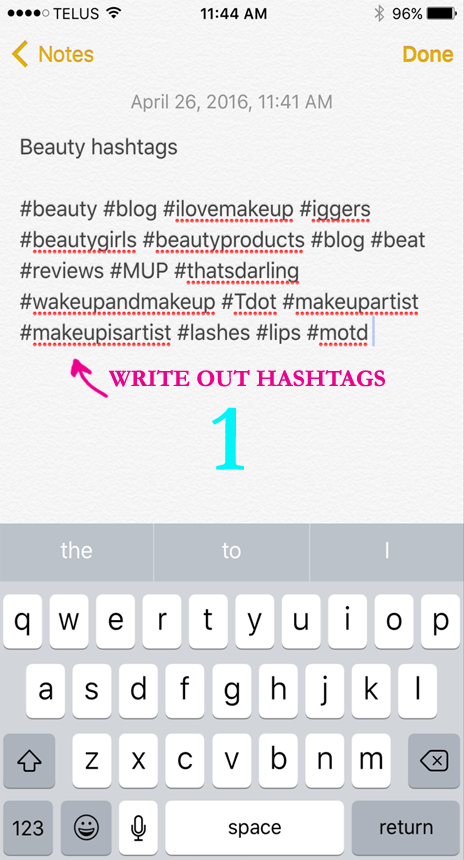
- Open the notes app on your phone and type out the group of hashtags you want to use.
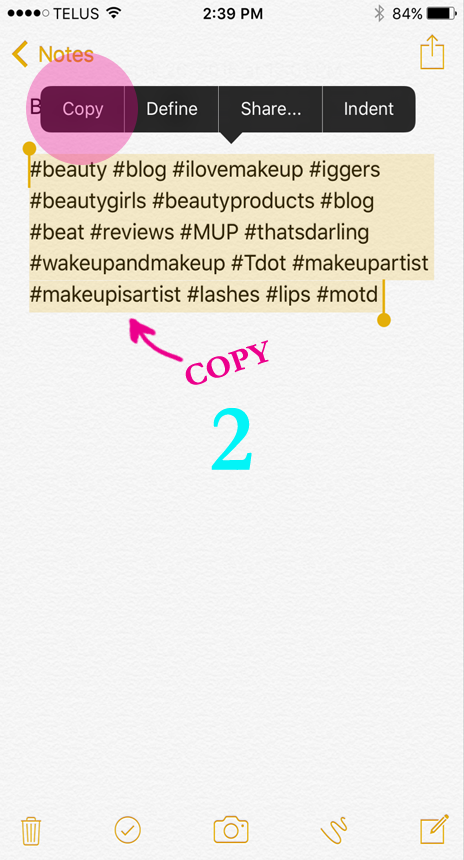
- Copy all of the text.
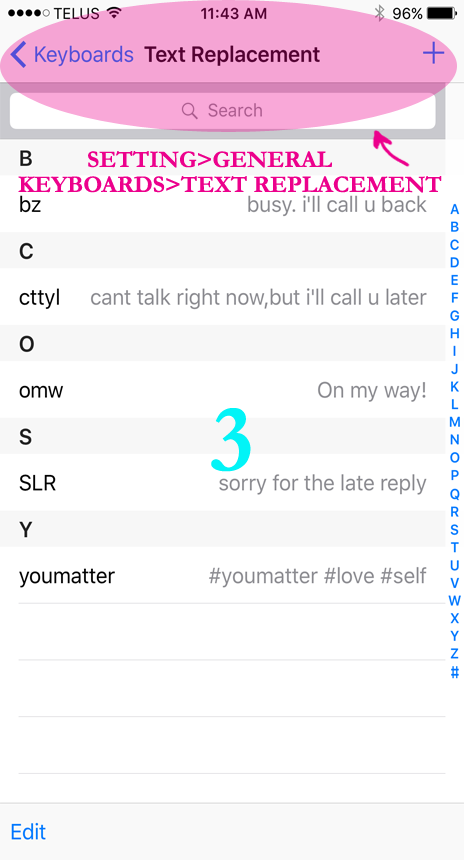
- Open the Settings app, go to General > Keyboard > Text Replacement > “+”
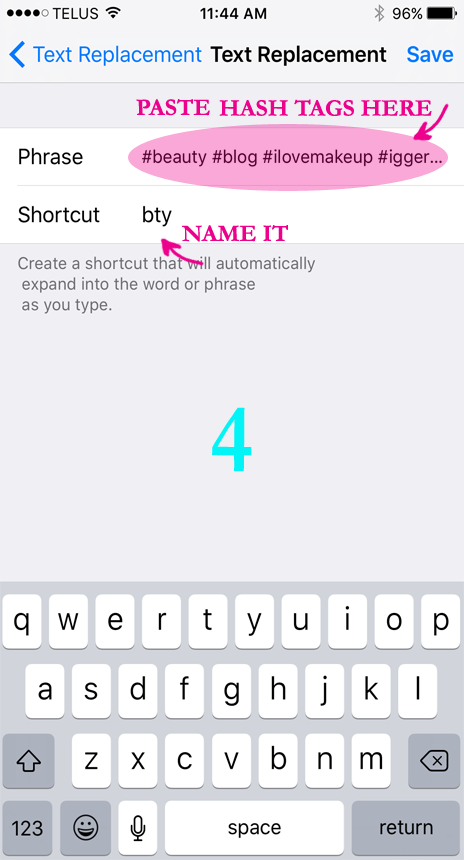
- In the “Phrases,”area paste your hashtags (i.e. #bloggers #beautytips #thatsdarling). In the "Shortcut" area name your shortcut to a trigger word that you will remember (i.e. bty) and save it.
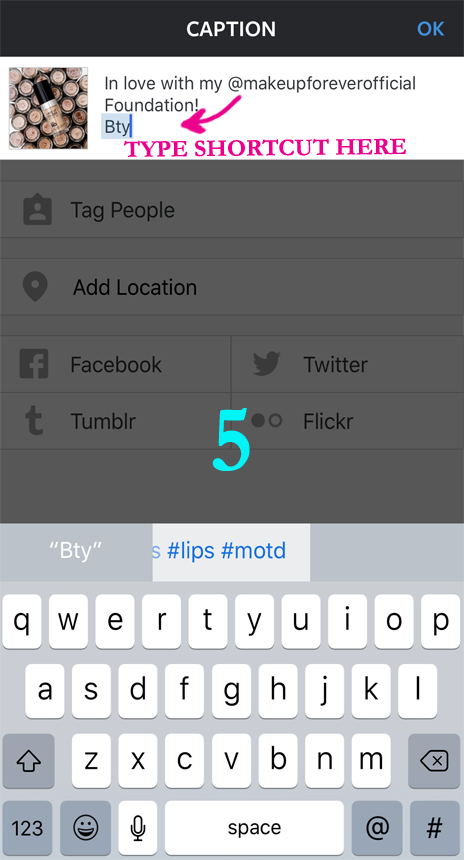
- Open Instagram type your caption and use your trigger shortcut word.
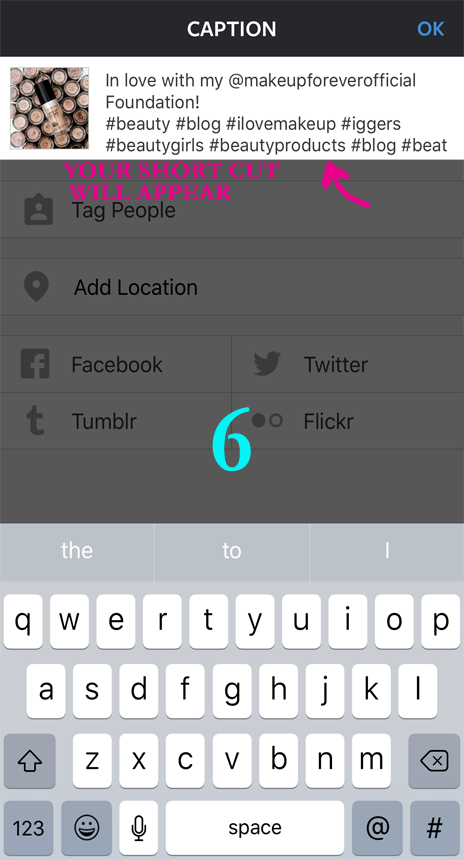
- Once you press enter your list of hashtags will appear.
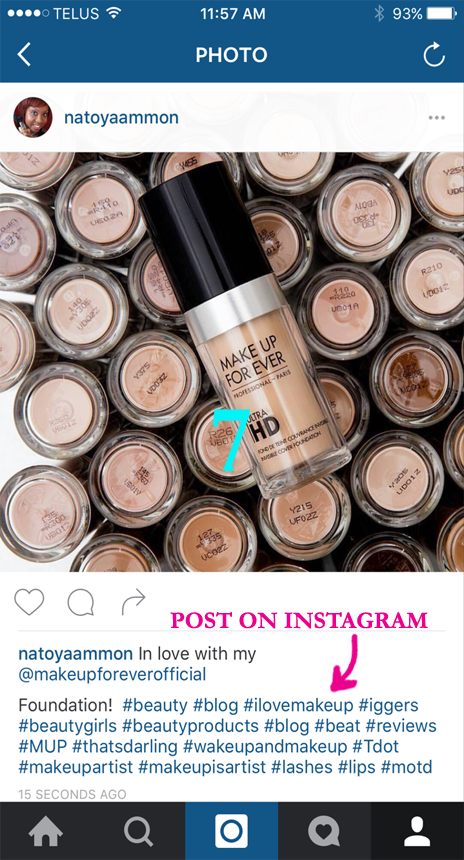
- Post on Instagram.
 See below for pictures guide.
 Now moving forward you can use your list of hashtag shortcuts to insert into an Instagram caption or comments or on any social media platform for that matter. Just type your shortcut trigger word (eg. bty) and your iPhone will replace the shortcut and automatically populate your hashtags! Boom done and done!! All you have to remember is one magic shortcut word! Easy Peesy!
I'll take 5 shortcuts any day over remembering 30 x 5 = 150 different hashtags for different posts! Saves me time and I can save my memory for the other 50 thousands things I have to remember in a day.
If you post a variety of different types of pictures let's say for beauty, recipes, blog, your dog etc, you might want to divide your hashtags into groups and create separate shortcuts for each. Just name your shortcuts accordingly so that they’re easy to remember!
Don't forget to download your tip sheet with all of the steps so you can have those short cuts handy!
Do you have a group of hashtags that you use when posting to Instagram? Do you have different ones for different types of pictures or subjects? Share your list below!
If you try this hashtag shortcut let me know how it works for you!!
Stay Fab,
Now moving forward you can use your list of hashtag shortcuts to insert into an Instagram caption or comments or on any social media platform for that matter. Just type your shortcut trigger word (eg. bty) and your iPhone will replace the shortcut and automatically populate your hashtags! Boom done and done!! All you have to remember is one magic shortcut word! Easy Peesy!
I'll take 5 shortcuts any day over remembering 30 x 5 = 150 different hashtags for different posts! Saves me time and I can save my memory for the other 50 thousands things I have to remember in a day.
If you post a variety of different types of pictures let's say for beauty, recipes, blog, your dog etc, you might want to divide your hashtags into groups and create separate shortcuts for each. Just name your shortcuts accordingly so that they’re easy to remember!
Don't forget to download your tip sheet with all of the steps so you can have those short cuts handy!
Do you have a group of hashtags that you use when posting to Instagram? Do you have different ones for different types of pictures or subjects? Share your list below!
If you try this hashtag shortcut let me know how it works for you!!
Stay Fab,
xo Toya

[convertkit form=4873136]